Property viewing registration

Register the viewing.
Keep every introduction clear.

PVRS brings client checks, property-viewing registrations and registration history into one clear workflow for estate agents and property developers.

Check before registering Pre-register before a viewing Track your registrations
A clearer viewing process

A property viewing brings the client, agent, property and developer together. PVRS helps keep that introduction clear from the start.

Every property journey starts somewhere. PVRS gives the viewing a clear record.

The workflow

From client check to registration in three simple steps.

Check the client first, record the viewing when it happens, and find the registration whenever you need it.

01

Check the client

Choose the developer and property, enter the client’s phone number and quickly check whether a registration already exists.
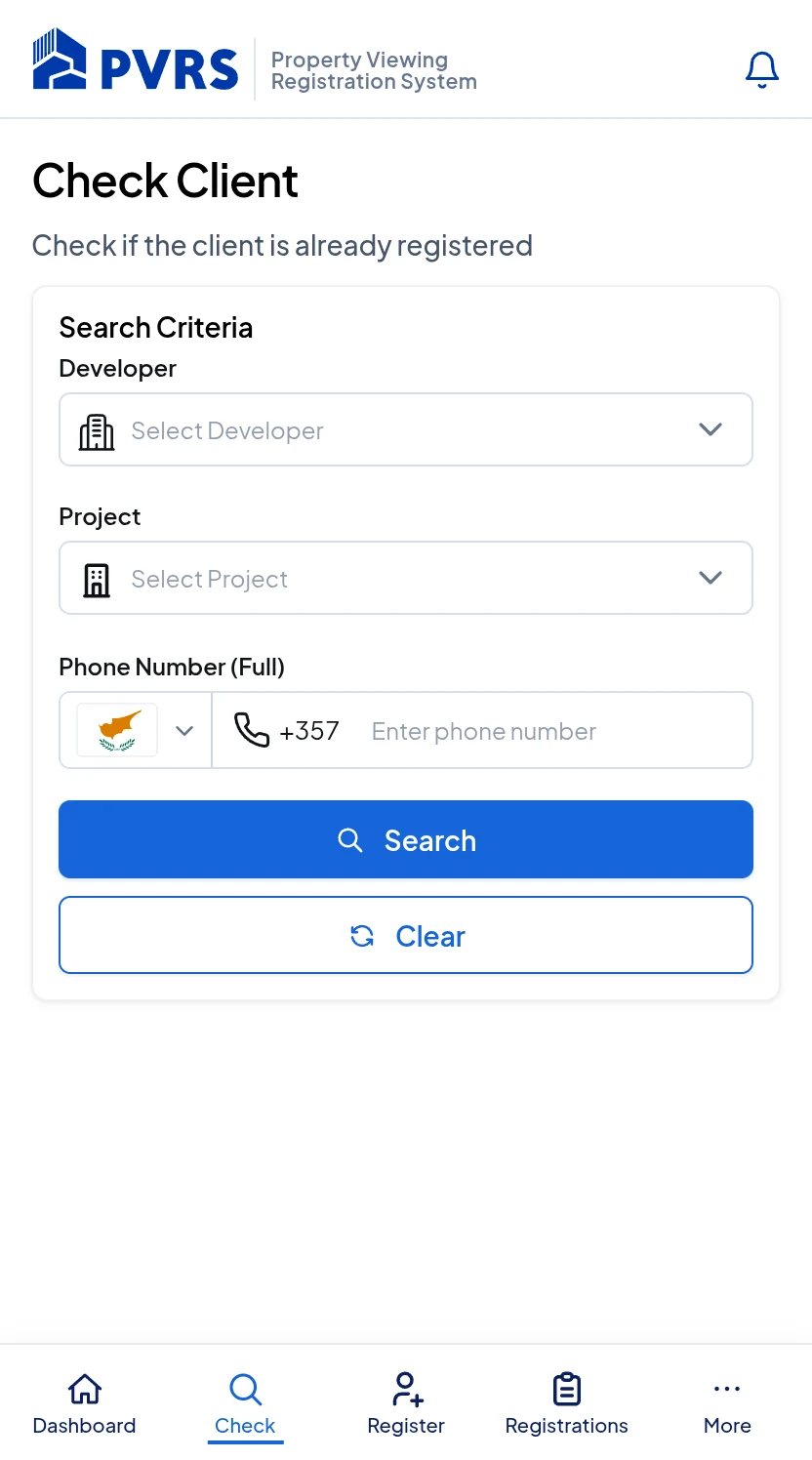
Open Check Client →
PVRS Check Client screen preview
02

Register the viewing

Prepare the client before the appointment, or complete the registration at the viewing.
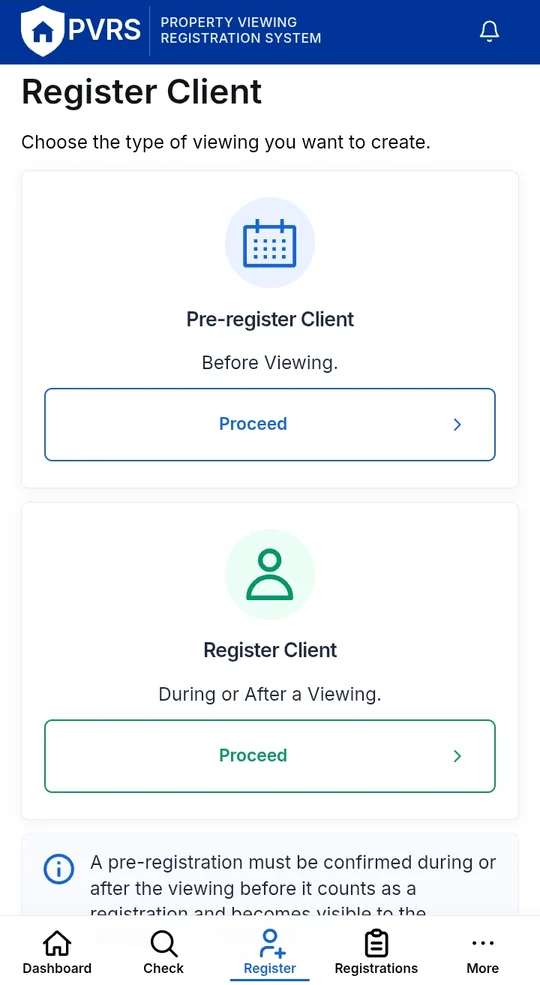
Open Register Client →
PVRS Register Client screen preview
03

Keep it easy to find

Find active registrations by reference, client or project whenever you need to confirm what was recorded.
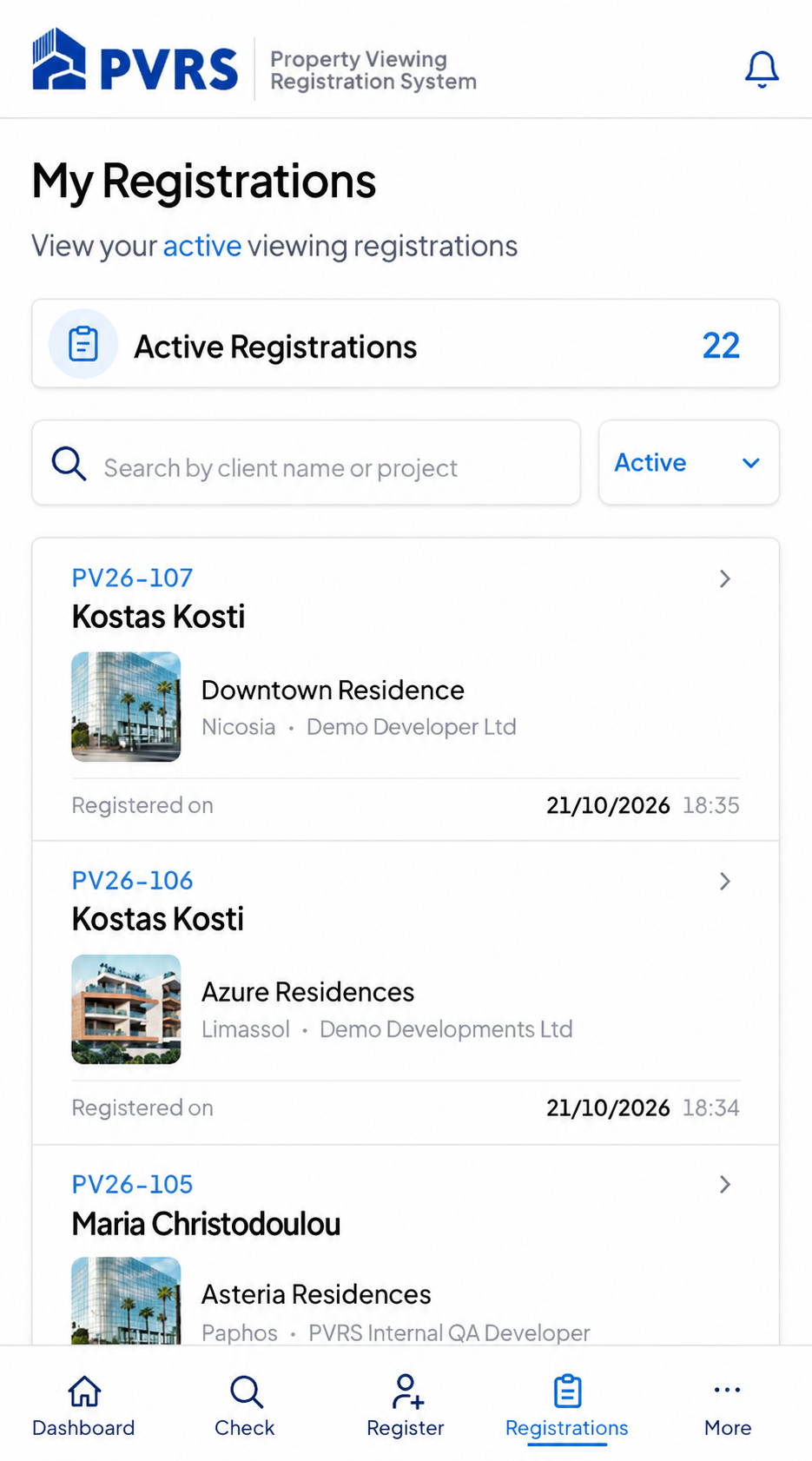
View registrations →
PVRS My Registrations — three property viewings
Clear records, less chasing

Every viewing registration, Easy to find.

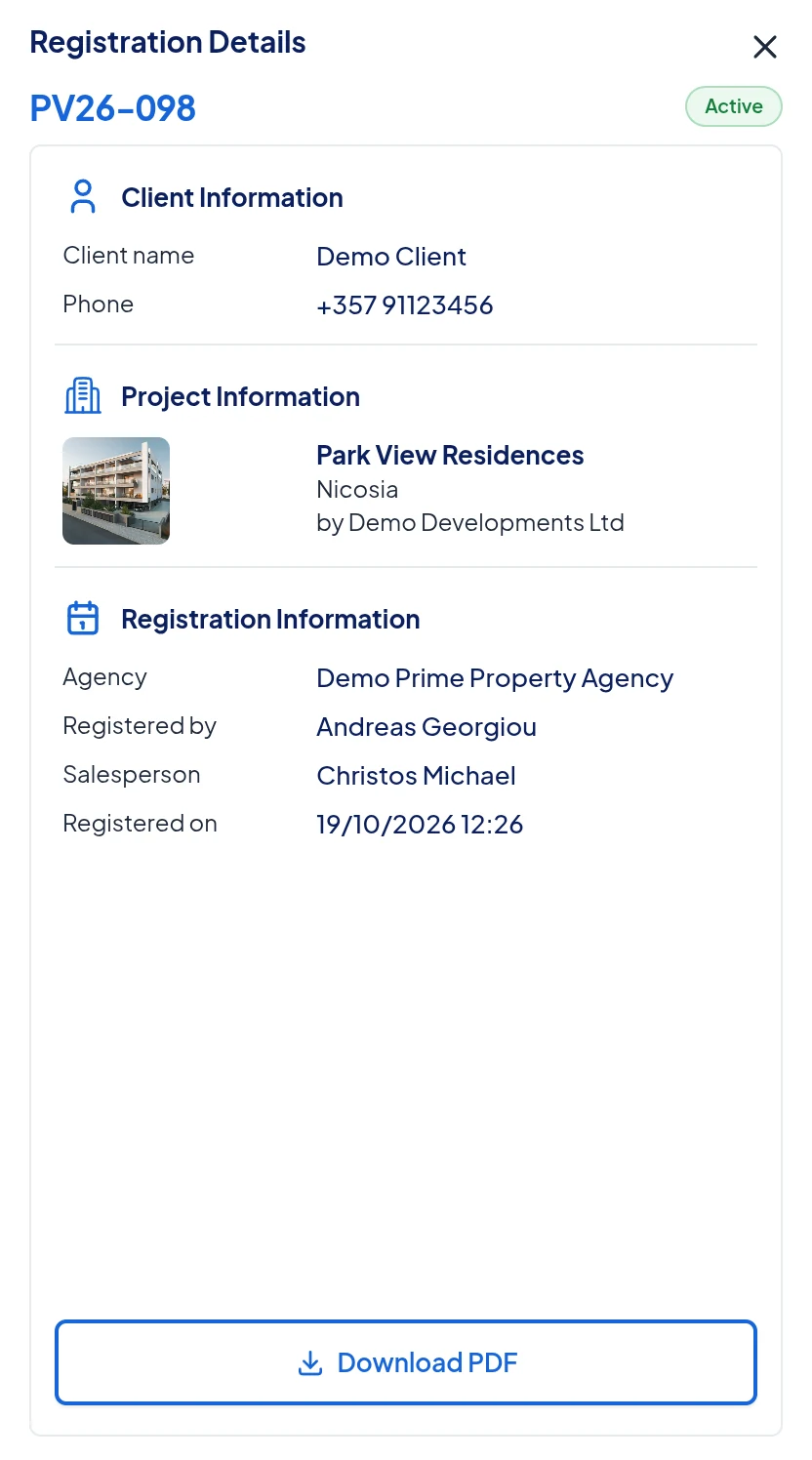
Each registration is securely stored with its unique PVRS reference number, client details, project and registration date, providing Estate Agents and Property Developers with a clear and reliable record that can be easily accessed whenever needed.
01
ReferenceA unique PVRS reference makes each registration easy to identify.
02
Client & projectKeep the client and relevant property project connected to the same record.
03
Status & historyReturn to the registration and follow its status over time.
PVRS registration details for a demonstration client, showing the reference, project and registration information
Built for both sides of the viewing

One shared process for agents and developers.

PVRS gives each user the tools and visibility relevant to their role while keeping the underlying viewing registration consistent.

For estate agencies

Stay Focused on the Client, Not the Admin.

Check and register clients through a phone-friendly workflow designed for the pace of real property viewings.

  • ✓Check whether a client is already registered for a property.
  • ✓Pre-register before the viewing when needed.
  • ✓Register at the viewing.
  • ✓Return to your registrations afterwards.
For property developers

Keep project registrations clear and organised.

Give authorised developer users clear visibility into the property-viewing registrations relevant to their projects.

  • ✓Keep registrations associated with the relevant project.
  • ✓See the client and registration information available to your role.
  • ✓Work from the same PVRS record rather than a separate manual process.
  • ✓Keep project and registration activity in one platform.

Already using PVRS? Agencies and developers use the same secure sign-in.

Sign in to PVRS
Security and access

Secure access and clear permissions, without making everyday work complicated.

Role-based access

Access is based on each user’s role, organisation and permissions within PVRS.

Protected sign-in

Secure sign-in controls and optional two-factor verification add protection where it is needed.

Privacy-conscious data

PVRS is designed to limit unnecessary exposure of sensitive client information across the platform.

Registration history

Registration history keeps important viewing records available in PVRS instead of relying on scattered messages.

Quick answers

Questions about getting started.

A few quick answers about how PVRS fits into the property-viewing workflow.

PVRS lets users check a client for a property, register or pre-register a property viewing, and return to their viewing registrations afterwards.
Yes. The agent workflow includes a pre-registration option before the viewing. A pre-registration then needs to be confirmed at the viewing before it counts as a completed registration.
Yes. Check Client allows the user to choose the developer and property and search using the client’s phone number, with a name-search path available when needed.
Yes. My Registrations provides a searchable list with the PVRS reference, client, project and registration date for the records available to the signed-in user.
Get started with PVRS

See how PVRS can work for your team.

Are you an estate agency, property developer or independent property professional? Send us a request and we'll get in touch to discuss a demonstration.

A walkthrough tailored to your role
An opportunity to ask questions
No client or property data needed

Request a demonstration

Fields marked * are required. Please do not include client personal information.

The secure form becomes available after site setup.

PVRS

Bring clarity to every property viewing.

Sign in to PVRS Request a demo Property Viewing Registration System